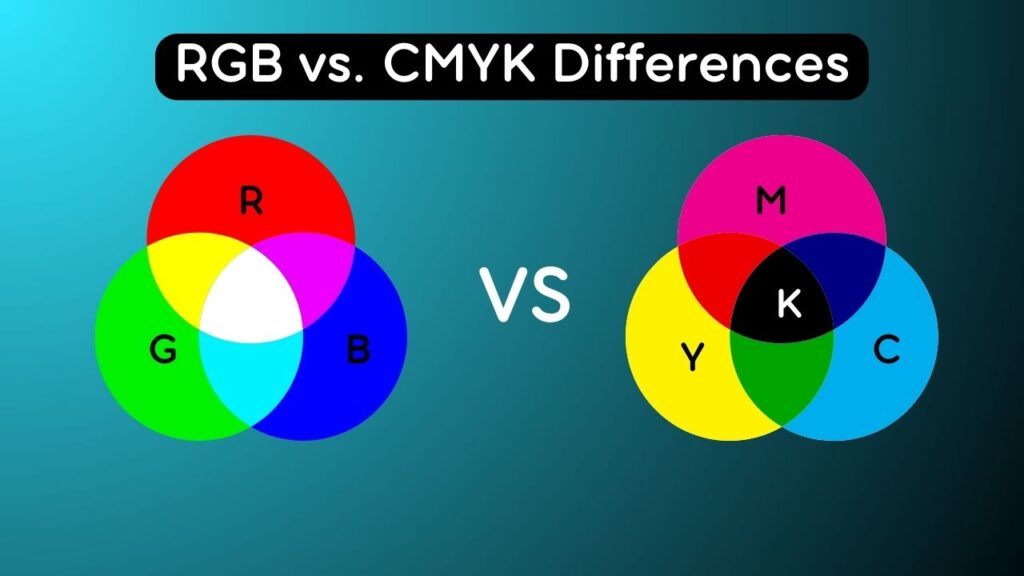
In the world of digital and print design, understanding color modes is crucial for achieving accurate and consistent results. RGB (Red, Green, Blue) and CMYK (Cyan, Magenta, Yellow, Black) are two commonly used color modes, each with its own purpose and application. By gaining a comprehensive understanding of these color modes, you will be able to make informed decisions when working with digital and print media.
RGB Color Mode
RGB is an additive color model used primarily in digital design and display devices such as computer screens, televisions, and mobile devices. Colors are created by combining varying intensities of red, green, and blue light. Maximum intensity of all three (255, 255, 255) produces white, and absence (0, 0, 0) results in black. RGB has a wider color gamut, producing vibrant and saturated colors.
When to use RGB
Digital design: RGB is ideal for websites, mobile apps, social media graphics, and other digital media to ensure accurate color representation on screens.
CMYK Color Mode
CMYK is a subtractive color model primarily used in print design. Colors are created by subtracting varying amounts of cyan, magenta, yellow, and black ink from a white substrate. More ink results in darker colors, with full coverage producing solid black, and absence producing white.
When to use CMYK
Print design: CMYK is used for brochures, business cards, posters, magazines, and other print materials. Printing presses use CMYK inks to reproduce colors accurately on paper.
Differences between RGB and CMYK
The main differences are in application, color representation, and color gamut:
- Color representation: RGB has a wider gamut and produces vibrant digital colors, while CMYK has a smaller gamut and limited ability to reproduce some RGB colors.
- Light vs. ink: RGB uses light emission; CMYK uses ink absorption. RGB adds light, CMYK subtracts light.
- Mode of display: RGB appears on screens; CMYK is printed with ink on surfaces.
- Gamut limitations: RGB can display colors, like bright blues and greens, that CMYK cannot accurately reproduce.
Converting between RGB and CMYK
Converting RGB to CMYK is often necessary for print, but can cause color shifts for colors outside the CMYK gamut. Consider:
- Use color management: Apply color profiles to maintain consistency.
- Color checking: Check converted colors on calibrated monitors and proof prints.
- Understand limitations: Some RGB colors may not have exact CMYK equivalents.
- Work in the appropriate mode: Start print projects in CMYK to avoid surprises.
Conclusion
Understanding RGB and CMYK is crucial for accurate results in digital and print design. RGB is best for digital media with a wide color gamut, while CMYK ensures precise color reproduction in print. Proper use and management of these color modes help designers achieve the desired results on screen and in print.
Tagged: Graphic Design, Color Theory, RGB, CMYK, Digital vs Print